

AZ PAYMENT PROS · OCTOBER 9, 2026
Your sales are coming in. Your next payroll is coming up. A supplier needs to be paid. The key question is whether the money you earned is available when your business needs it.
Square Banking connects eligible Square sales with business checking, savings, and funding tools in the same ecosystem as your point of sale. That can help you get to your money sooner, organize it with less manual work, and see more of your operation in one place.
This is a deeper look at Square Banking, not another tour of every Square feature. If you’re starting with the broader picture, read our complete guide to Square POS.
Get To Your Sales Revenue Faster
With a traditional setup, card sales are processed through your POS and then deposited to a separate bank account according to its transfer schedule. Square Checking offers another path: eligible Square payment proceeds can become available in your Square Checking balance shortly after a sale, rather than waiting for a standard deposit to reach an outside bank.
That faster access can make a practical difference. You may be able to put sales revenue toward inventory, a repair, or an upcoming payroll sooner, without first initiating a transfer to another bank.
Square Checking is built into Square’s financial tools and can be managed through your Square account. Square advertises no monthly account fee and no minimum opening deposit or balance requirement for Square Checking. Review the current account details and disclosures before applying, since features and eligibility can change.
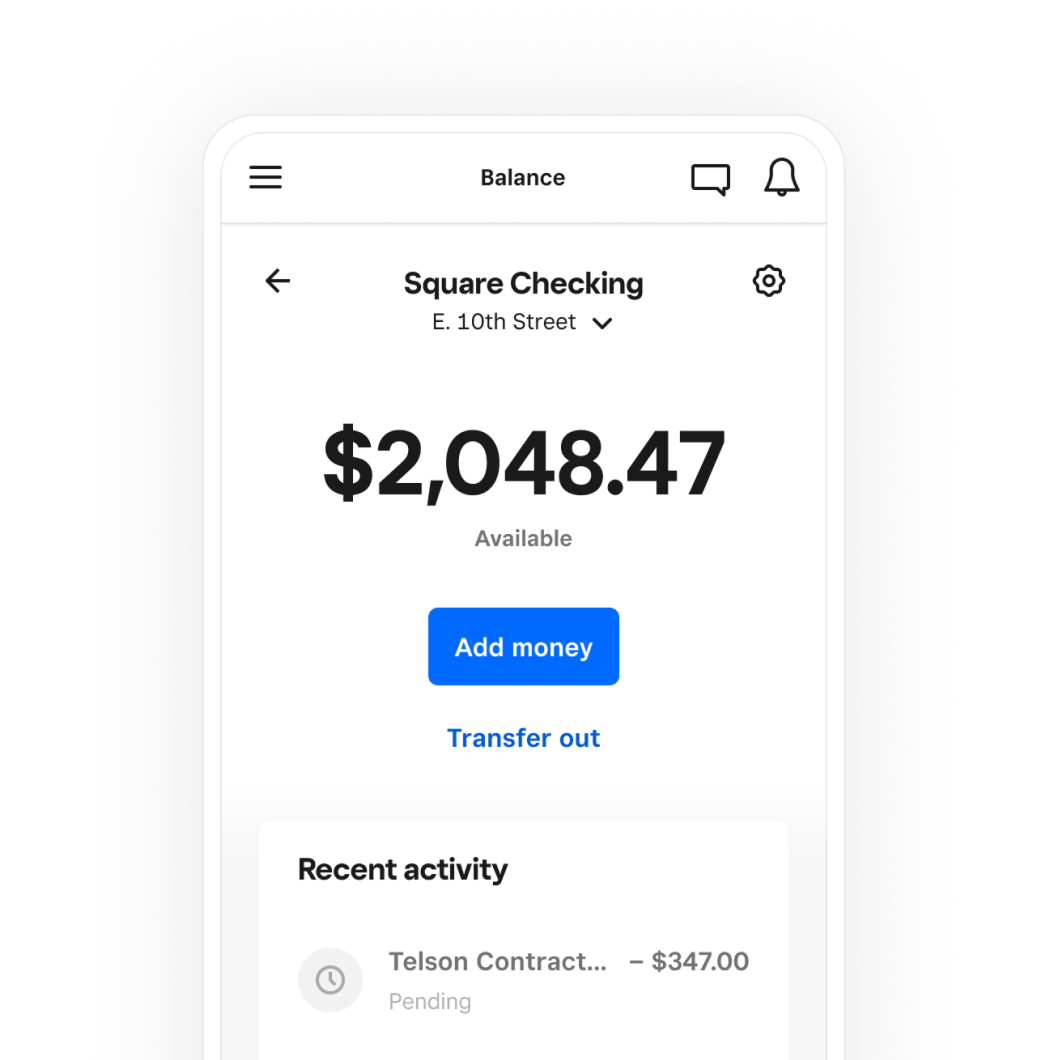
Know The Difference: Square Checking And Instant Transfers
Square Checking and Square Instant Transfers can both help you get to money faster, but they work differently.
When eligible Square sales are deposited into Square Checking, the funds can be available there without you paying for an external instant transfer just to access them. If you want to move funds from your Square balance to a linked outside account or debit card, an instant transfer may be available for a fee. Square’s current fee and transfer rules are listed in its deposit and transfer options.
Compare the timing and cost before choosing. A standard transfer may be the right fit when you don’t need the money immediately. For funds you need sooner, check the current instant-transfer fee and availability.
Turn Cash Flow Into A Plan
Faster access helps you act. Square Savings can help you plan what comes next.
You can use savings folders, or goals, to separate money for priorities such as taxes, new equipment, seasonal inventory, or a rainy-day reserve. Square also offers automatic ways to set aside a portion of eligible sales, helping you build a habit without moving money by hand after every busy shift.
Square Savings has no monthly fee or minimum opening deposit, according to Square. Interest rates, account terms, and availability can change, so check Square’s current Savings information before opening an account.
A simple approach is to give each savings goal a clear purpose and review it regularly. Setting aside funds for known expenses can make the next tax payment, equipment purchase, or slow season feel more manageable.
Make The POS And Banking Work Together
Square Banking becomes more useful when you connect it to the rest of your business workflow. Your POS records sales. Payments process transactions. Invoices help collect money for work completed. Payroll helps you pay your team. Reports help you see what’s selling and when.
When these tools operate within one Square ecosystem, you can spend less time matching activity across separate systems and more time understanding your business. Instead of comparing a POS report with a different bank’s deposits and manually tracking every detail, you can review connected sales and account activity from Square’s tools.
That doesn’t eliminate every reconciliation task. You still need to review statements, account activity, payroll, expenses, and tax records. But reducing the number of disconnected systems can make your daily money picture easier to follow.

Put Available Funds To Work
When eligible sales proceeds are available in Square Checking, you can use the account and its associated tools to manage business spending. That may help when payroll or a supplier payment is due before a traditional bank deposit would ordinarily arrive.
Availability is not a promise that every transaction will settle instantly. Timing can be affected by account status, transaction review, refunds, disputes, holds, and Square’s terms. Build your cash-flow plan around the timing and obligations that apply to your account, not just your best-case sales day.
Consider Square Loans Carefully
Square Loans may offer eligible sellers access to business funding through Square. Offers are invitation-based and subject to eligibility and approval; funding is not guaranteed.
If you accept an offer, repayment is generally collected as a set percentage of eligible daily sales until the loan is repaid. That percentage and the loan’s fixed fee, minimum payment, and other terms are specific to the offer and agreement. Repayment tied to sales can change with your sales activity, but do not assume that a slow period pauses the obligation: minimum-payment requirements may still apply.
Before accepting funding, review the offer in full. Compare the total cost and payment terms with your expected cash flow, and make sure the planned use of the funds supports a clear business need. Read Square’s guidance on loan eligibility and repayment for current details.
Find The Right Fit For Your Business
Square serves a wide range of business types. A connected POS and banking setup may be worth exploring if you run a restaurant, bar, retail shop, professional service, automotive business, healthcare practice, home service company, hotel, entertainment venue, or eCommerce operation.
The right setup depends on how you take payments, manage staff, collect invoices, pay suppliers, and handle busy or seasonal periods. A restaurant may prioritize accessible sales revenue and payroll coordination. A contractor may care more about invoices and payments from the field. A retailer may want sales, inventory, and banking activity easier to review together.
Square is not automatically the right answer for every business. Account availability, approval, transfer timing, loan offers, rates, fees, and other limits depend on the product and your business. Compare the terms with your needs before making a decision.

Set Up Square With A Local Arizona Partner
The best system is one your team can use confidently. AZ Payment Pros helps Arizona businesses choose and complete a Square POS setup, from selecting hardware and configuring workflows to installation and hands-on training. We can also help you understand how Square’s banking tools fit with your payment flow and business priorities.
We support businesses in English and Spanish, and we don’t push one platform for every operation. We compare options and help you find a fit for your business, whether you’re looking for POS systems for small business, evaluating credit card processing in Arizona, or exploring merchant services in Phoenix.
See how we support Square businesses in Arizona, or schedule a conversation with our team.
Square Banking can help bring sales, spending, savings, and funding tools closer together, so your money is easier to access and your business is easier to manage. With the right setup and clear expectations, your POS can do more than take payments. It can help keep your cash flow moving.